
Uncoded: Fixing 6-bit encoding for Leica
A digital Leica M doesn't recognize lenses in the traditional electronic way used by other digital cameras. It lacks electronic contacts, chips, or communication between the camera body and the lens. Instead, it features six small painted fields on the bayonet mount and a tiny sensor inside that reads these markings when a lens is mounted. The Leica camera uses these six bits to look up the lens information in its internal database. That's the entire process. Leica assigns a unique code to each lens; the camera reads this code and records the lens name in the image file.
The issue is that the 6-bit codes are only available for Leica lenses. If you use third-party lenses like Zeiss or Voigtlander, they don't have official codes because Leica doesn't distribute codes to those brands. Most people solve this by borrowing a code. For example, with a Voigtlander VM 35mm f/2 Ultron, you can either use a paint pen (or buy a pre-coded lens) and write 011110 on the flange. This code corresponds to Leica's 35mm Summicron ASPH, since it's a 35mm f/2 lens and the closest match available.
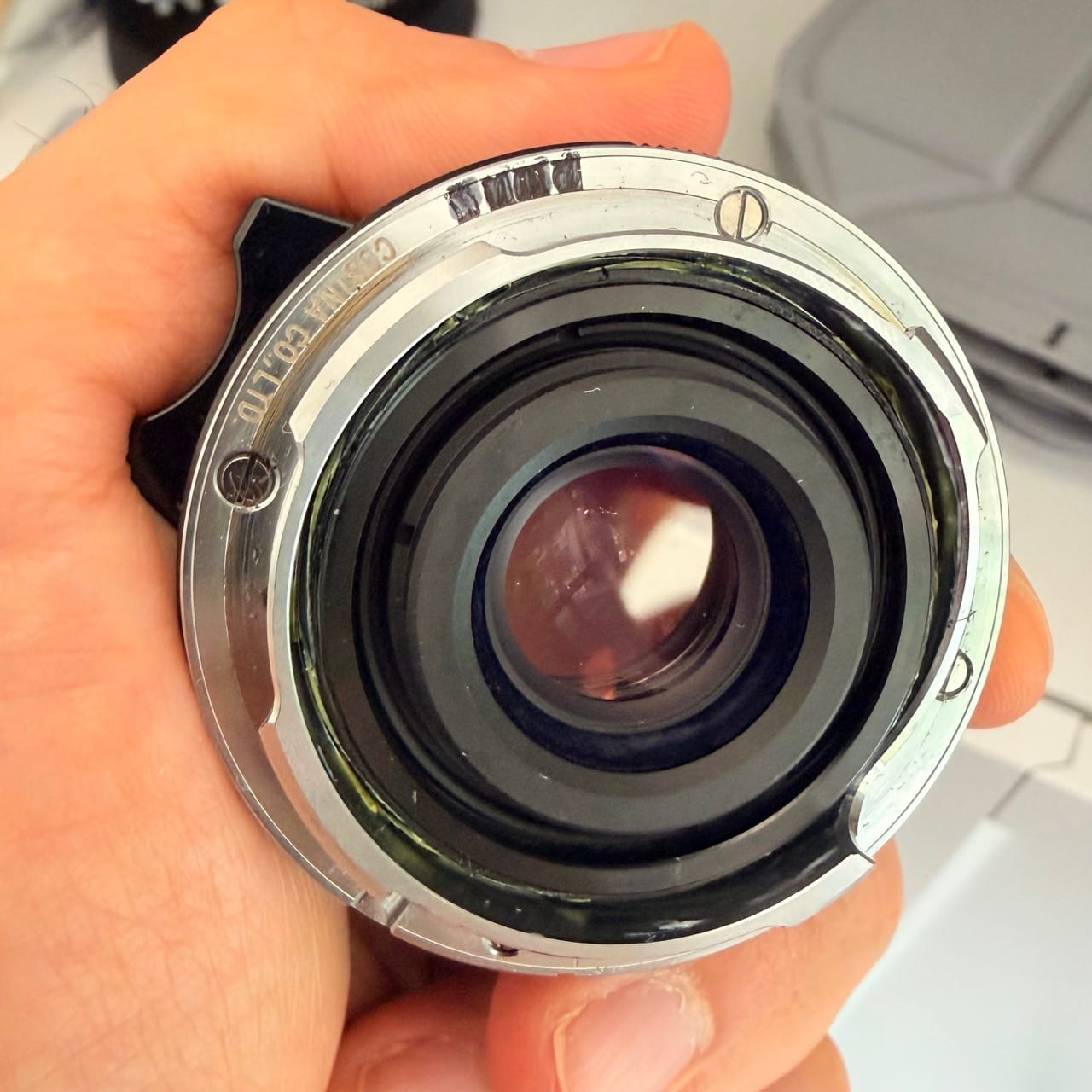
The camera is delighted. It reads Summicron, writes Summicron, and moves on with its life.
The file says Summicron
To be clear about which part bothers me: it isn't that two lenses might end up sharing a code. If I owned a second 35mm f/2 I'd just paint a different 35mm code on it and move on. Codes are cheap; there are sixty-four of them and I am not going to run out.
The file is wrong: every frame with the Ultron reports it was shot with a Summicron in its metadata, including make and model. Lightroom trusts this and applies a lens correction profile for that lens, based on glass that didn't take the picture. This error persists in every file and outlives my memory of shooting them. In ten years, the DNG will still claim Summicron, with no notice of the mistake, making the record false.
A while ago I wrote fix_6bit_exif, a command-line tool that shelled out to exiftool and rewrote the fields. It worked! But it was a programmer's answer to a photographer's problem.
So: Uncoded. Same idea, made of buttons.
A contact sheet that shows you the lie
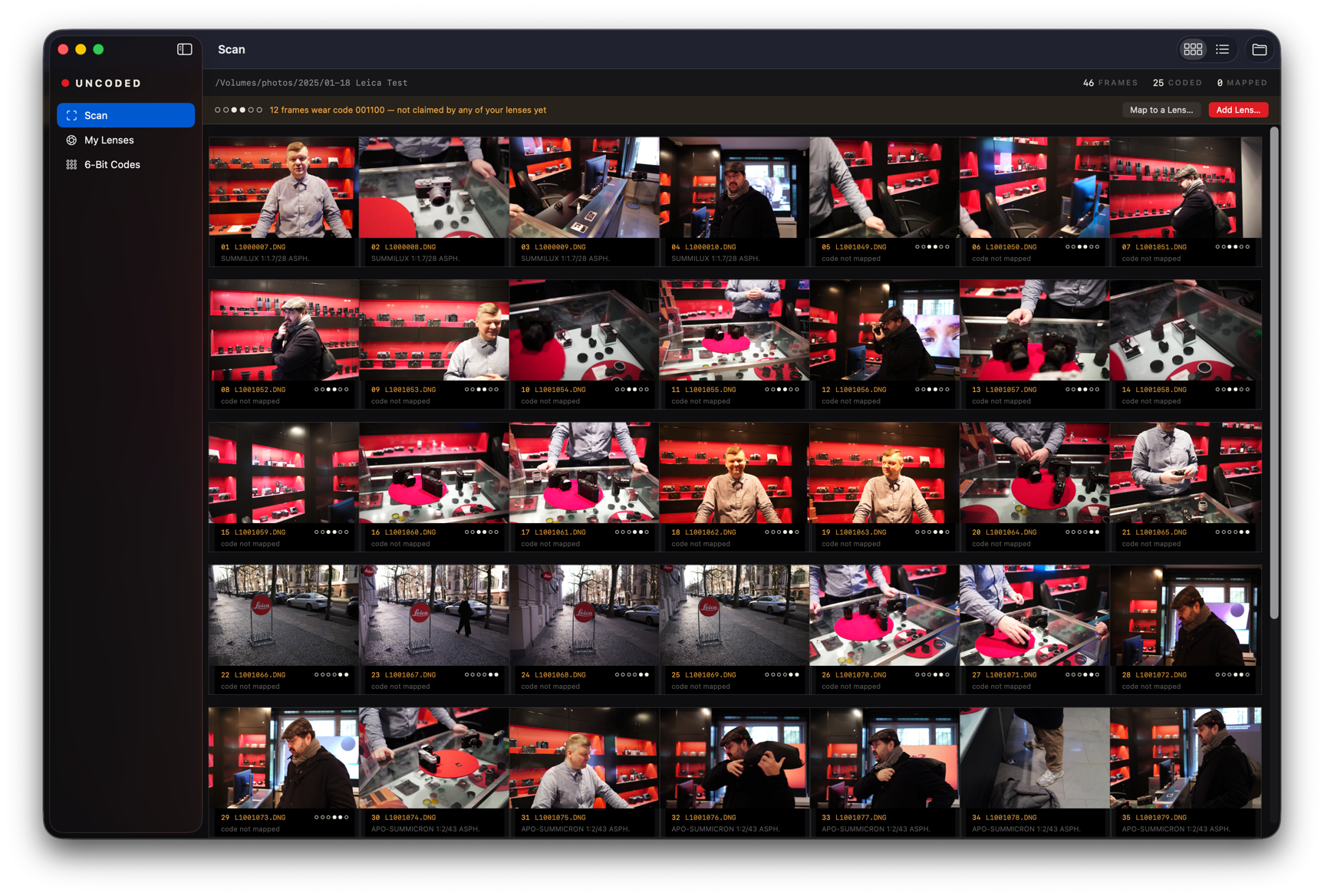
You point it at a folder of DNG files to generate a contact sheet. Thumbnails are created from the embedded previews in the raw files, making the process quick since there’s no decoding involved. Each frame is labeled with its code, depicted as a 6-bit pattern—the six black-and-white sections as they appear on the flange—since that reflects the lens’s physical reality.
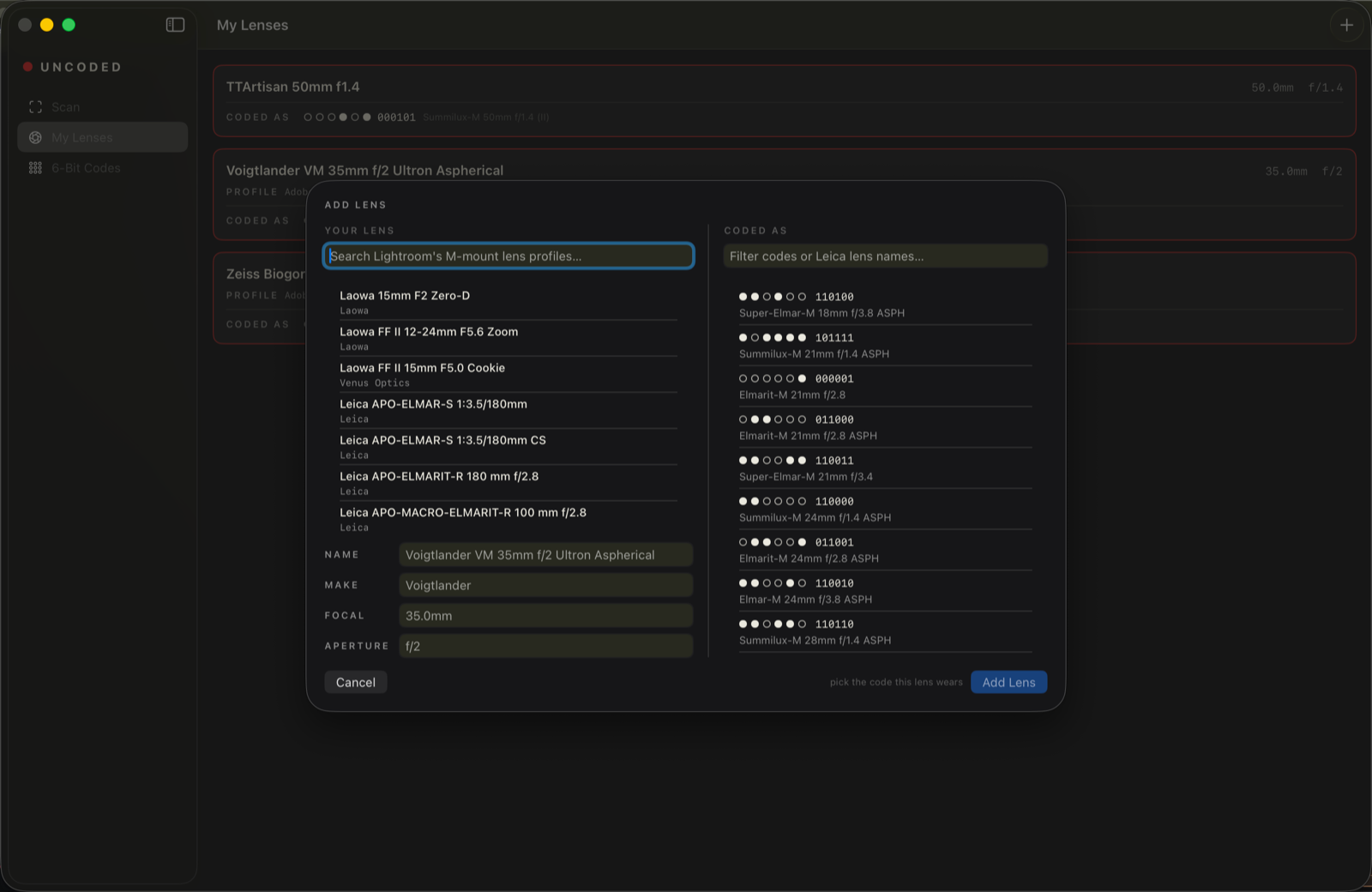
Next, specify your lens codes. I like this part: Uncoded accesses Adobe lens correction profiles on your Mac via Lightroom. You pick your lens from a list of profiles, select the code (usually a plausible borrow based on focal length and aperture), and you're done. The app includes a community 6-bit code table with 76 entries. You can also manually input lenses not listed in Lightroom or if you don't have Lightroom.
Some glass has no code at all — fully adapted lenses, or ones you haven't got round to painting. For these, there's a manual marking mode: you review the contact sheet as you would with a real one using a grease pencil, select the frames from the shot day, and assign them manually. It's manual because it has to be; the camera didn't record it, so someone has to remember. Afterward, you hit Fix, which writes the details: lens make, model, focal length, and Adobe lens profile, so Lightroom shows your actual lens with its profile.
About your DNGs
Uncoded only changes the handful of metadata bytes it has to and never touches the image data at all. Before the first fix on any file, it keeps one pristine .bak sibling, by default (you can disable this). Every fix is recorded, so Revert Fix puts the file back byte for byte — and if something else edited the file in between (Lightroom likes to write metadata back), revert notices and refuses rather than stamping old bytes over new ones. The output is checked against Phil Harvey's ExifTool on real M11 files.
Now the honest part: this is a weekend project, built with Claude Code on a Sunday. I've been annoyed about this problem for two years, and the fix took less time than the annoyance did, which is either a lovely thing to say about the current tools or a mildly damning one about my priorities. It is agentic-coded software, written by one guy, for his own archive. It works on mine. Run it on copies first, keep your backups, and don't make me the only thing standing between you and your negatives.
Stack
Native macOS, SwiftUI and SwiftData, macOS 14+. No Electron, no exiftool dependency, and it makes no network requests whatsoever — there's not a single URLSession in the source, and nothing it would have to say to a server anyway. The TIFF/DNG reader and writer are written from scratch against the spec, which sounds like more work than it was; the DNG container is genuinely well designed, and reading it is a pleasure.
The interesting constraints weren't the Swift, they were the domain: the M11 doesn't write a numeric code tag at all, so you have to match the lens name string — and the camera and Adobe write it two different ways ("Noctilux-M 1:1.2/50 ASPH." versus "Noctilux-M 50mm f/1.2 ASPH"). That kind of thing lives in a CLAUDE.md in the repo, along with the rest of the traps.
Get it!
DMG on the releases page. macOS 14 or later, free, GPL-3.0, and it stays that way.
It's unsigned (no paid Apple Developer account yet). Open it once, click Done on the scary dialog, then System Settings → Privacy & Security → "Open Anyway". Once, and then never again.
The code table came from the community-maintained Leica 6-bit spreadsheet that people on forums have quietly kept alive for years, which is the actual reason any of this is possible. Not affiliated with Leica or Adobe, obviously.
If you shoot an M with borrowed codes, please try it and tell me what breaks — especially lens table corrections. If your lens is missing or a code is wrong, open an issue and I'll fix the table.
See ya!
No spam, no sharing to third party. Only you and me.
Member discussion